Every platform, overlays, B&W split, Tablet Bridge & more.
Everything shipped across our Online Web, Windows/Mac Desktop, Android Tablet,
and iPad Offline apps—built for Traditional Booths, Receipt Photobooths, and Photobooth-in-a-Box / Retro
Box setups, with real-time QR softcopy scanning, LumaShare Sharing Station, Android/Huawei Tablet Camera
Bridge, per-frame PNG overlays, B&W vs Coloured split routing, direct USB SELPHY, secondary 2×6 split
printers, ESP32 Cash Acceptor & relay lighting, Trading Cards, Roving Photoman (with offline auto-queue),
Rush ID, GIF Slideshow, Flipbook, XL print up to 48", and 360 Studio.
Offline · Android 7.0+ tablet · v1.2.04
Android Tablet Offline App & Laptop Bridge Mode
Run a standalone offline booth on Samsung Galaxy Tab, Huawei, Lenovo, Xiaomi, and more—OR switch to
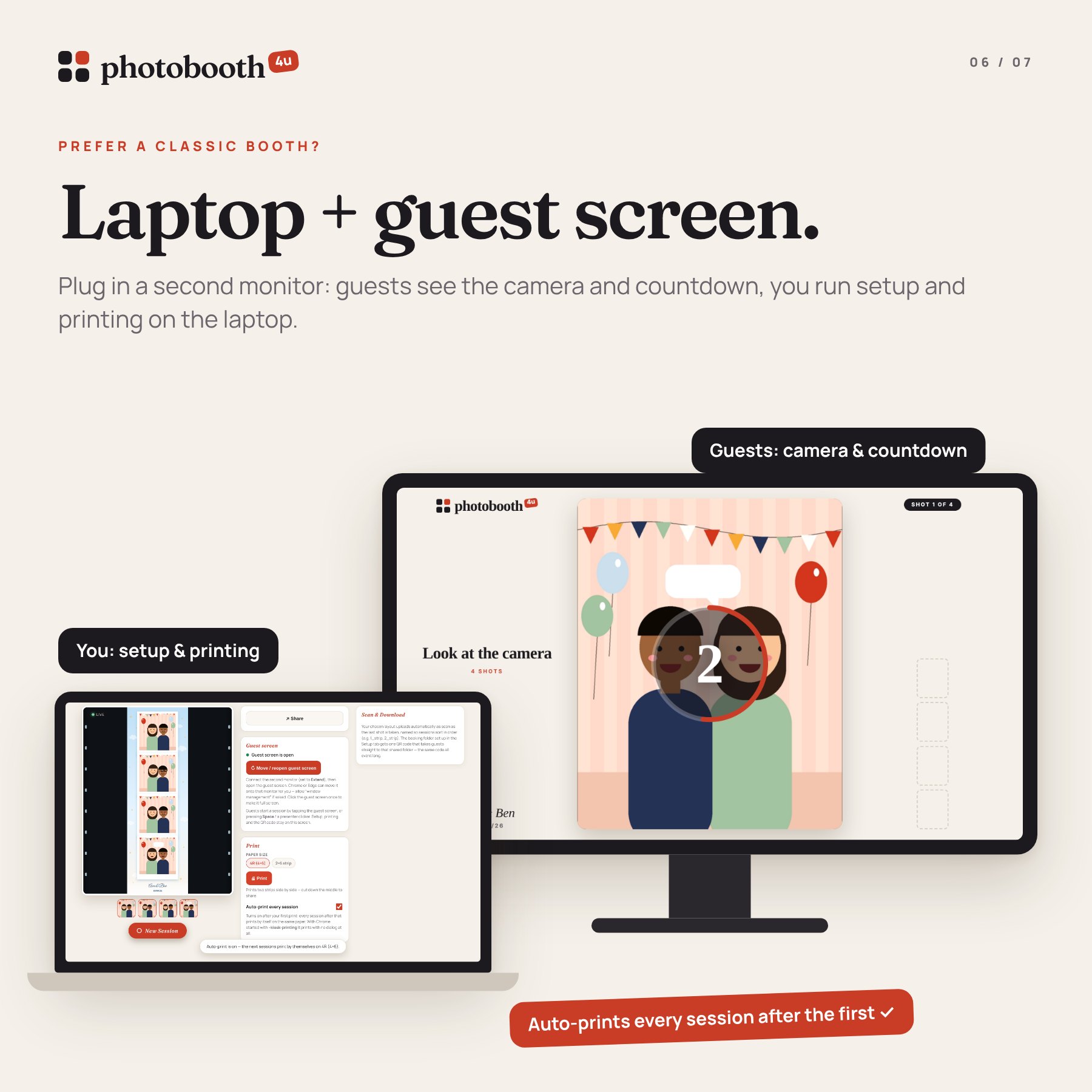
Laptop Guest + Camera Bridge to turn your tablet into your laptop's live touch screen & camera.
No internet · Built-in hotspot + Sync
Offline Photos, QR Codes, Wi-Fi & Bridge
100% local storage + Cloud Sync: Saves photos and GIFs to Pictures/photobooth4u/<event>/
zero-internet during the party, with optional Cloud Sync to auto-upload queued captures later.
Laptop Guest + Camera Bridge (guide →): Pair any Android or
Huawei tablet over USB-C Tethering, local Wi-Fi/Hotspot, or ADB to stream ~22 fps Camera2 preview
plus up to 8 MP full-res shots, play tablet TTS voice countdowns, mirror the 2-step B&W/Colour picker,
and show guest controls—using 0 extra license slots.
Built-in tablet Wi-Fi (no router needed): Turn on Make this tablet the booth Wi-Fi (Wi-Fi
Direct on Android 10+, local hotspot fallback on Android 8+) and show a Join Wi-Fi QR code before
the photo QR.
Offline Cash Acceptor & Vouchers: Accepts coins & bills via ESP32 (Bluetooth BLE, USB
Serial, or Keyboard HID) plus offline single-use vouchers and Thermal/Coloured tiers.
Kiosk lock & Cameras
Event-Ready Hardware & Lockdown
Full kiosk lockdown: Auto-boot on power-on, optional Default Home Launcher lock, screen
keep-awake, brightness control, immersive full-screen bars, and back-button exit protection.
Flexible orientation & 3-Attract screens: Lock landscape or portrait, pick Card / Live Camera /
Poster Playlist attract screens, and customize 2–60s first/next countdowns.
Cameras over USB OTG: Supports built-in tablet cameras, external UVC USB webcams / HDMI capture
cards (auto-prioritized when plugged in), Canon EOS, Nikon & Sony Alpha DSLRs over USB, and
GoPro HERO9+ (Wi-Fi / USB).
Companion Android APKs: Free Roving DSLR Bridge phone app (tether DSLR to laptop
Photographer Desk via QR) and Rush ID Station tablet app.
Direct Printing & B&W/Colour Split on Android
Wi-Fi, USB OTG, Bluetooth Thermal & Instax
Wi-Fi printers + Split Routing (no dialog): Auto-discovers AirPrint / Mopria / IPP printers (Epson
L8050, Canon, HP, Brother, Canon SELPHY) and routes B&W thermal vs Coloured photo prints
to separate printers automatically.
Bluetooth & network receipt printers: Direct 58 mm & 80 mm Bluetooth (RFCOMM SPP) and
Wi-Fi/USB thermal printing with Floyd-Steinberg dithering, darkness test strips, and smoothness presets.
Fujifilm Instax Link (BLE): Connects via Bluetooth Low Energy to Instax Link mini, SQUARE, and
WIDE printers with live film & battery readout.
Direct USB OTG (driverless): Prints straight over a USB cable to DNP DS-RX1 / RX1HS, DS620 /
DS620A, DS40 (3.5×5, 4×6, 5×7, 6×8, 6×9 & 2×6 dual-cut
strips), Canon SELPHY (CP820–CP1500), Epson L-series (L8050, L3210, L3276, ESC/P-R / ESC/P2),
and IPP-over-USB printers.
Browse & Reprint + Print Station: Pick any earlier event photo to reprint on demand, or relay
jobs over Wi-Fi to a Windows/Mac Print Station.
Needs the laptop app: DNP DS80 / DS820 / QW410, HiTi, Citizen, Mitsubishi, and
Sinfonia USB printers require Windows or Mac drivers.
The full flagship studio booth packaged as a standalone desktop app—built-in silent printing,
driverless USB SELPHY, secondary 2×6 printer routing, Tablet Camera Bridge, external guest display,
Cloud Sync, Photoman Studio, Rush ID, and 360 Video Studio.
Zero Venue Internet + Cloud Sync
Offline Share, Sync & Activation
Local folders + Lossless PNG Masters: Sorts files into Prints, Solo Shots,
GIFs, and 360 Videos inside Pictures/photobooth4u/ with crisp PNG masters.
Offline-First Cloud Sync + Reprint Pop-up: Works with zero internet, then syncs queued QR uploads to
online galleries when reconnected; use Browse & Reprint Pop-up & Arrange & Print anytime.
Windows Mobile Hotspot: 1-click laptop Wi-Fi hotspot (192.168.137.1) with loopback
setup so guests scan QRs without an external router.
Activate with zero internet: Supports online activation plus offline Machine ID key entry
(WIN-… / MAC-…).
Pro Cameras, Tablet Bridge & 2nd Screen
DSLR, GoPro, Tablet Cam & Monitor
Native USB DSLR & Mirrorless: Drives Canon EOS (incl. 1300D/1500D/60D/6D strobe X-sync), Nikon
(live Camera Check exposure apply), and Sony Alpha (PC Remote) over USB without Zadig.
Action Cams, Webcams & Gyro: Supports Insta360 Ace Pro, GoPro HERO9+, UVC webcams
& HDMI cards (pro sliders, multi-frame low-light stacking), plus Windows tablet gyro for 360.
Tablet Guest + Camera Bridge: Pair an Android/Huawei tablet as a second touch screen & Camera2
bridge (guide), or pair iPad via Camo/Iriun/Safari (guide).
Guest second screen: Fullscreen HDMI/TV display mirroring attract screens, live view, countdowns, and
the 2-step B&W/Colour picker.
Silent Print, Desks & 360 Studio
Split Printers, Desks & Record 360
Silent drivers + Direct USB SELPHY: Auto-prints to DNP, HiTi, Citizen, Mitsubishi, Sinfonia, Canon
SELPHY USB (driverless Win/Mac, guide), Canon G-series 600 DPI, Epson
L8050 IPP, 58/80mm thermal, & Instax BLE.
Secondary 2×6 Split + B&W Routing: Auto-route 2-up cut strips to a dedicated 2nd dye-sub
printer (HiTi/DNP auto-cut) and separate B&W thermal from Colour photo printers.
360 Video Studio (Included):Record 360 directly from DSLR/GoPro/HDMI + free iOS 360 Arm
Companion (iPhone/iPad gyro motion sensor), 30 presets + Auto mode, Beat-Drop, 3D LUTs & Live TV Wall.
Payments & Internet note: Online booths (plus offline Desktop/Android when connected with your own
Self-Hosted Cloudflare Worker) accept live GCash / Maya / ShopeePay PayMongo QRs. With zero internet,
Desktop & Android run offline Vouchers and the ESP32 Cash Acceptor cleanly.
Offline · iPadOS / iOS 15.0+ · v1.1.21
iPad Offline App, Direct IPP & Free 360 Arm Companion
Install the native iPad offline app once with Sideloadly to run full events with zero venue
internet, smooth GPU camera capture, direct non-AirPrint Wi-Fi printing, Print Station split routing, and the
free iPhone/iPad 360 Arm Camera Companion.
Zero Internet · AirPrint, Direct IPP & 360 Arm
Full iPad Kiosk + Local QR & Laptop Pairing
Smooth 4:3 GPU camera & UVC capture: Tuned native iOS camera pipeline (butter-smooth even on iPad
A16 Center Stage), plus UVC HDMI/USB-C adapters (iPad offline guide).
Direct Non-AirPrint IPP + Print Station: Print silently to AirPrint printers, direct network IPP
printers (e.g. Epson L8050 over Wi-Fi), LAN receipts (port 9100), or relay 4×6 &
2×6 split jobs to a laptop Print Station.
Use iPad with Laptop & Local QR Sharing: Pair over USB with Camo/Iriun as a laptop webcam or run
Safari LAN Guest Bridge (iPad + Laptop guide); offline guests save via
local QR or AirDrop.
Free 360 Arm Camera Companion (guide →): Mount an iPhone/iPad
on your 360 arm for CoreMotion gyro auto-start, 0.5× ultrawide 60/120 fps, AE/AF lock,
and accidental-tap Screen Shield streaming to Desktop 360 Desk.
iPad Offline App (v1.1.21): Smooth GPU camera capture, direct IPP + Print Station 2×6
split printing, and free 360 Arm Camera Companion—no internet required.
Printing & hardware compatibility
Dual Printers, 2×6 Split, Thermal & Direct USB SELPHY
Run multiple printers simultaneously, send 2×6 cut strips to a dedicated second dye-sub printer,
separate B&W thermal vs Colour photo queues, print driverless USB Canon SELPHY on Win/Mac, or reprint past
shots with Browse & Reprint.
Multi-printer & 2×6 split
2+ Printers & 2×6 Split Routing
+ Add Printer 2 / 3+ (Round-Robin): Rotate pages across Printer 1 → 2 → 3 with failover,
or trigger a parallel second paper size (e.g., 4R + thermal/Instax) automatically.
Dedicated Secondary 2×6 Strip Printer: Route 2-up cut strips automatically to a 2nd HiTi
(P510S/P520L/P525L/P720L) or DNP (DS-RX1/DS620) printer loaded with 2×6 cut mode—plus 1-tap
Test 4×6 & Test 2×6 buttons and Print Station split routing.
0.5 mm Edges & Per-Printer Tuning: Calibrate cut margins in 0.5 mm steps, tweak lightness/color
per printer, or test Wi-Fi printers safely with /printer-test/.
80 mm wide & 58 mm
Bluetooth & USB Wired Thermal
Wide 80 mm & portable 58 mm: Compatible with Vozy G80 (80 mm auto-cut), Vozy MP210 / 50,
Epson TM-T20III / T88 / m30, Xprinter (XP-80C, XP-N160II, XP-58), Munbyn, Rongta, Star, ArcticBreeze RP30,
Goojprt PT-210 & pocket printers.
Direct Bluetooth & USB wired: Pairs via Classic Bluetooth (RFCOMM SPP) on Android or prints
over USB / Wi-Fi ESC/POS (port 9100) on Windows, Mac, Android, and iPad LAN.
Clean retro dithering: Floyd-Steinberg halftone dithering, Best / Normal / Draft quality,
5-level darkness test strips, and anti-banding smooth-print calibration.
Driverless USB & Wi-Fi
Canon SELPHY, Epson L8050 & Canon G
Direct USB Canon SELPHY (guide →): Driverless USB cable
printing for CP800–CP1500 right inside Desktop (Win/Mac) & Android OTG—plus Wi-Fi AirPrint/IPP without
CP1500 multi-copy stalls and borderless Postcard (100×148 mm) priority.
Epson L8050 / Canon G-series: Borderless USB & direct non-AirPrint IPP Wi-Fi (including on
iPad!) plus calibrated 600 DPI USB output for Canon G1010/G-series inkjets.
Studio dye-sub printers: Full Windows/Mac silent support for DNP, HiTi, Citizen, Mitsubishi,
Sinfonia & Fujifilm ASK, plus Android USB OTG for DNP RX1/DS620/DS40.
Per-device printer routing
Separate B&W vs Colour Printers
Opt-in routing (Setup › Layout & Printer): Assign your B&W · thermal
printer and Colour · photo printer separately per device—a laptop and a tablet can even use
different printer pairs on the same event code.
Voucher/Payment tier printer lock: Optionally bind each payment option (e.g. Option 1
Thermal vs Option 2 Coloured) to its own dedicated printer and quality profile.
Operator print control
Print Queue, Browse & Reprint & Arrange
Browse & Reprint Pop-up: Tap any captured session or photo in the scrollable event grid to
inspect, change copies, switch printer/paper, and reprint immediately.
Arrange & Print + Queue Status: Combine arbitrary captured shots into fresh custom multi-tile
print sheets on the fly and monitor live spool/queue jobs without leaving the booth.
Designs, PNG Overlays, B&W vs Colour Split & Stickers
Start with curated event designs, upload up to 100 Canva frames (up to 40 spots each), add crisp
per-frame or collage PNG overlays with white-doodle protection, optionally split B&W thermal vs Coloured photo
designs, and let guests decorate with stickers, text, and custom framing.
Ready-made & Pre-categorized
Ready-Made Designs & 2-Step Picker
14 event categories + Saved Profiles: Built-in themes for Wedding, Birthday, Debut, Kids Party, Baby
Shower, Graduation, Christening, Christmas, New Year, Summer, Anniversary, Prom, Corporate, and Receipt
booths—with cloud-synced Saved Profiles & My Themes.
Uploaded frames as top-level choices: Guests can pick your custom Your frames right from the
top layout row, or choose between Design 1, Design 2… before shooting.
Opt-in B&W vs Coloured Separation: Toggle Separate B&W and colour prints (optional
in Setup › Layout). Built-in layouts carry B&W vs Colour tags (with 1-tap Make
colour version), uploaded frames auto-scan colour pixels so coloured artwork stays Colour while
monochrome frames can be set to B&W (thermal), Colour (photo), or Either-way, and
guests see a clean 2-step B&W designs vs Coloured designs picker with grayscale previews.
Canva PNG · Overlays & Edit Layout
100 Frames, Overlays & 4-in-1 Auto-Sectioning
Auto-detect up to 40 spots/frame: Upload up to 100 Canva/Photoshop frames (PNG/JPG); detects
transparent windows, white boxes, tilted slots, or chromakey colours—and preserves enclosed white
doodles (e.g. coffee cups, stars, text) instead of punching photo holes through them.
3 Ways to Add Overlays: Attach a transparent PNG overlay onto built-in layouts (plus logo
corner positioning & sizes), tap 🧩 Add overlay on any uploaded frame (with 1-tap Apply
to all frames & batch drop), or add a sheet-wide Collage Overlay. Auto-removes outer white on
Canva Free PNGs while keeping white inside outlines intact!
4-in-1 Auto-Sectioning & Edit Layout: Auto-detect Polaroid, Wallet, & Strip sections, rotate
photo spots 90°/180°/270°, toggle Strip Repeat Mode, and use in-place Edit Layout
to drag/rotate spliced sections with locked print dimensions.
After the last shot
10 Sticker Packs, Text, Crop & Timer
Adjust Framing & Design: After the session, tap ✂️ Adjust Framing &
Design to customize the finished print before sending it to the printer & QR.
10 Sticker Packs + Decorate Timer: Toggle curated packs (Trend & Y2K, Aesthetic, Party,
Wedding, Birthday, Debut & 18, Graduation, Classic, Christmas, Christening) or custom PNG props
with configurable decorate countdowns (15 s–2 min or untimed).
Custom text & photo framing: Add captions or trend phrases in 5 font styles (Pill Badge,
Outline, Neon Glow), plus zoom (1.0×–2.5×) and pan individual photo boxes.
Welcome cards, Attract modes & Power saver
3 Attract Modes, Cards & Color Palettes
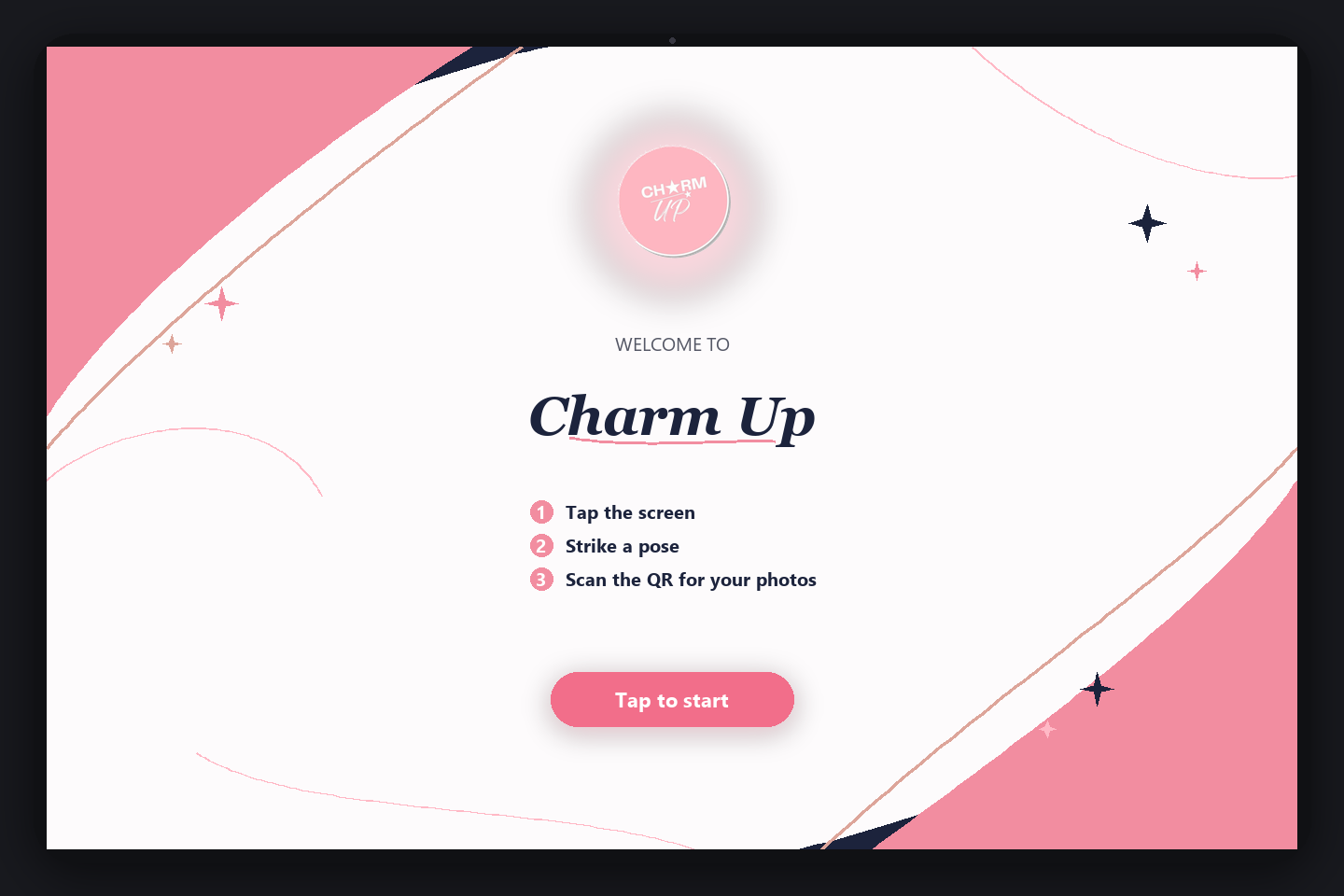
3 Idle / Attract Screens: Choose Branded Card, Live Camera mirror idle view, or
Idle Video / Poster Slides playlist—plus kiosk Power Saver sleep dimming.
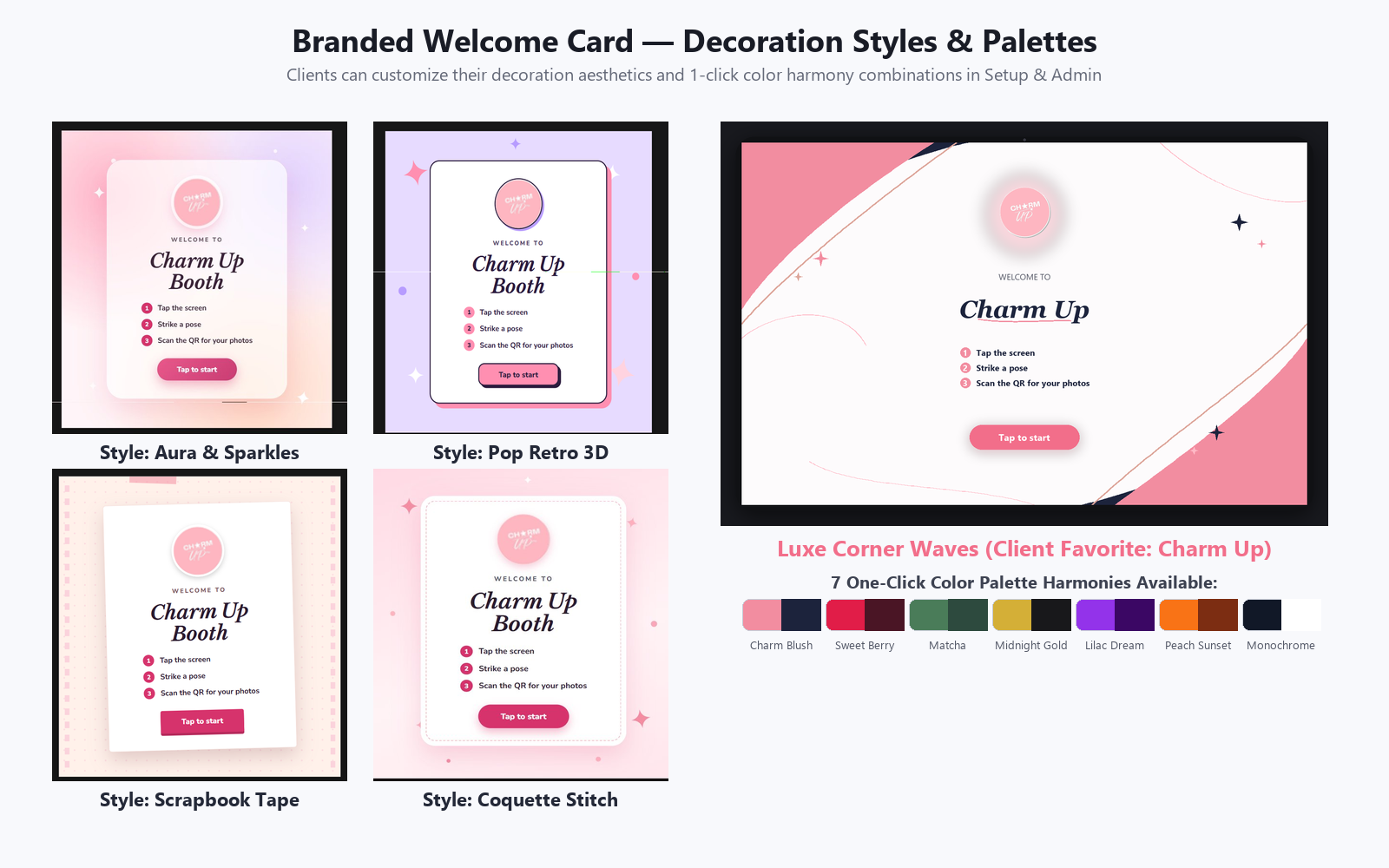
6 designer card aesthetics & palettes: Pick from Luxe Corner Waves, Aura &
Sparkles, Coquette Stitched, Pop Retro 3D, Scrapbook Doodles, or standalone
cards with 1-click palettes like Charm Blush & Navy, Sweet Berry, and Midnight Gold.
Voice & Hands-free
Spoken Countdowns, Timers & Smile to Start
Virtual assistant voice countdowns: Friendly spoken guidance (“Get ready… Three,
Two, One… Smile!”) in English and Tagalog—even plays through paired Android
Tablet Bridge speakers.
Separate 1st & Next Shot Countdowns (2–60 s): Give guests extra pose prep for Shot 1
while keeping shots 2–4 snappy, with saved sync persistence.
Hands-free “Smile to start”: Trigger sessions automatically by smiling, screen tap, or
Bluetooth shutter clicker.
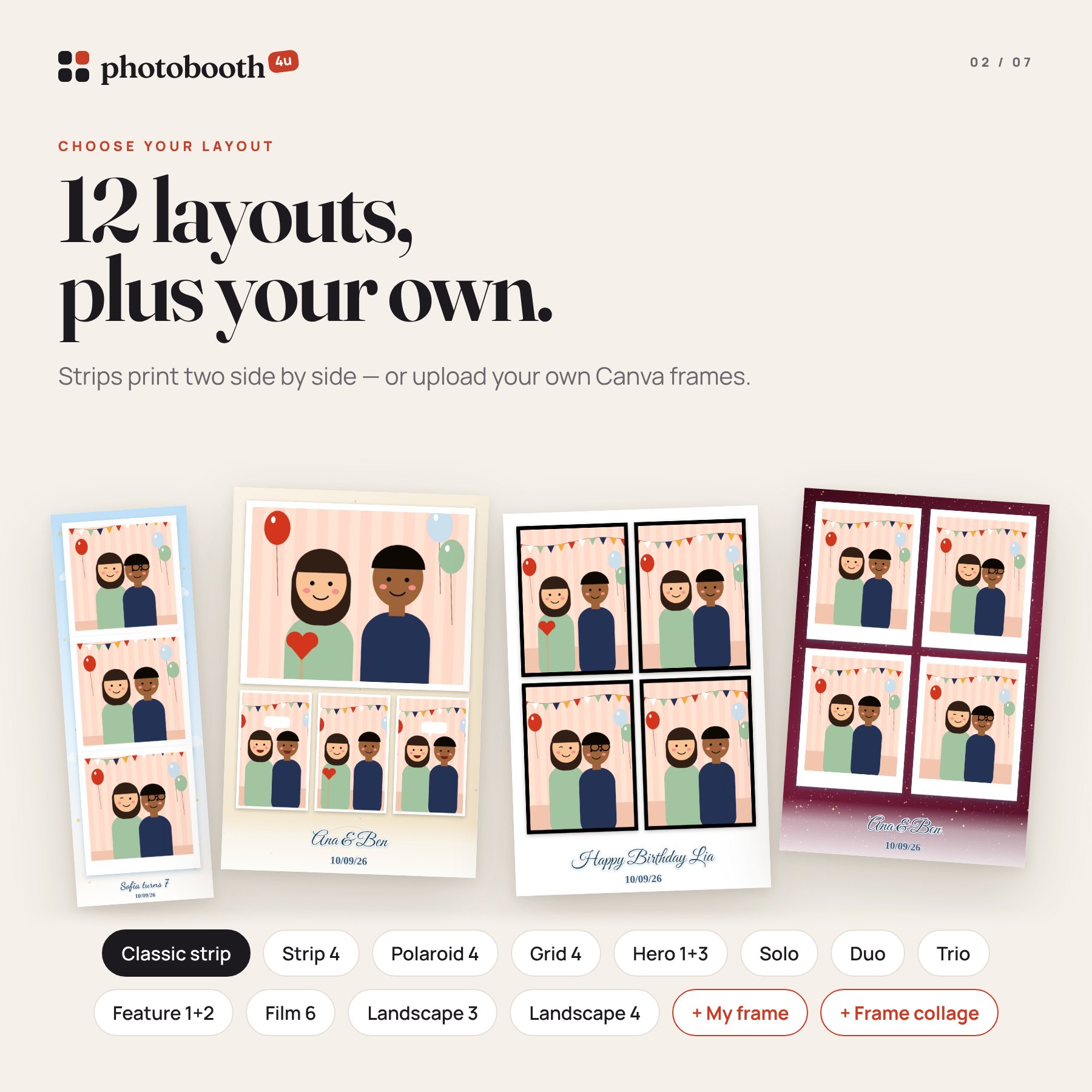
12+ layouts & custom frames: Strips, grids, polaroids, hero shots, landscape prints, and
40-spot Canva frames.Welcome card aesthetics: Customize card style, decoration waves/sparkles, and 1-click color
palettes.Guest-facing welcome screen: Clean standalone branded card look ready for weddings, debuts,
and corporate events.
Setup › Extras › Green screen
Green Screen (Cloth & No-Cloth AI)
Swap the background live in real time and in full-resolution saved/printed photos—whether you have a
green or blue cloth backdrop or just a plain wall.
Best edge quality
Green Screen (Green or Blue Cloth)
Pick your cloth color: Choose Green, Blue, or use Pick from camera to sample
your exact backdrop shade directly from the live camera feed.
Clean edge & spill removal: Adjustable Strength slider (15%–95%) keeps
white shirts, dark hair, and flyaway edges solid without green halos or ghosting.
Live view + custom scenes: Preview the swapped background live while guests pose, and choose from
built-in scenes or upload your own backdrop image.
No cloth needed
No-Cloth AI Background Swap (Beta)
Works on a plain wall: Remove and replace the background without hanging a green cloth—ideal for
tight indoor venues and roving setups.
Same custom backdrops: Drop in your branded event graphic, travel scene, or themed artwork behind
guests automatically.
Smooth performance: Keeps the live view responsive while saving full-resolution final photos.
Setup › Session › QR & after-session
LumaShare Pop-up & Separate Sharing Station
Keep the main camera moving with a LumaShare-style big photo reveal, or offload QR scanning to a
dedicated second screen so guests never hold up the booth line.
On the booth screen
LumaShare Pop-up Modes
LumaShare Pop-up + QR: Shows the big finished photo full-screen first (configurable
0–8 s delay), then opens a large, clean QR pop-up for instant phone saving.
LumaShare Pop-up · No QR: Displays the full-screen photo followed by a Print &
Done pop-up for print-only events.
Print first option: Optionally hold the QR pop-up until auto-print finishes so guests grab their
print and scan in one smooth flow.
Separate photo session screen
Dedicated Sharing Station (/station/)
1-scan QR pairing: Tap Pair Sharing Station (Scan QR) to link any separate phone, tablet,
or laptop on a stand.
Zero queue bottleneck: The main booth shows a quick hand-off prompt (or returns straight to Start)
so the next group can shoot immediately while the previous guests scan and save at the Sharing Station.
Session pills & privacy: One QR saves print, GIF, and solo photos together; choose Only show
current session for privacy or Allow browsing event gallery.
Dual-screen or Sharing Station: Run a guest monitor on HDMI, or pair a separate tablet/phone
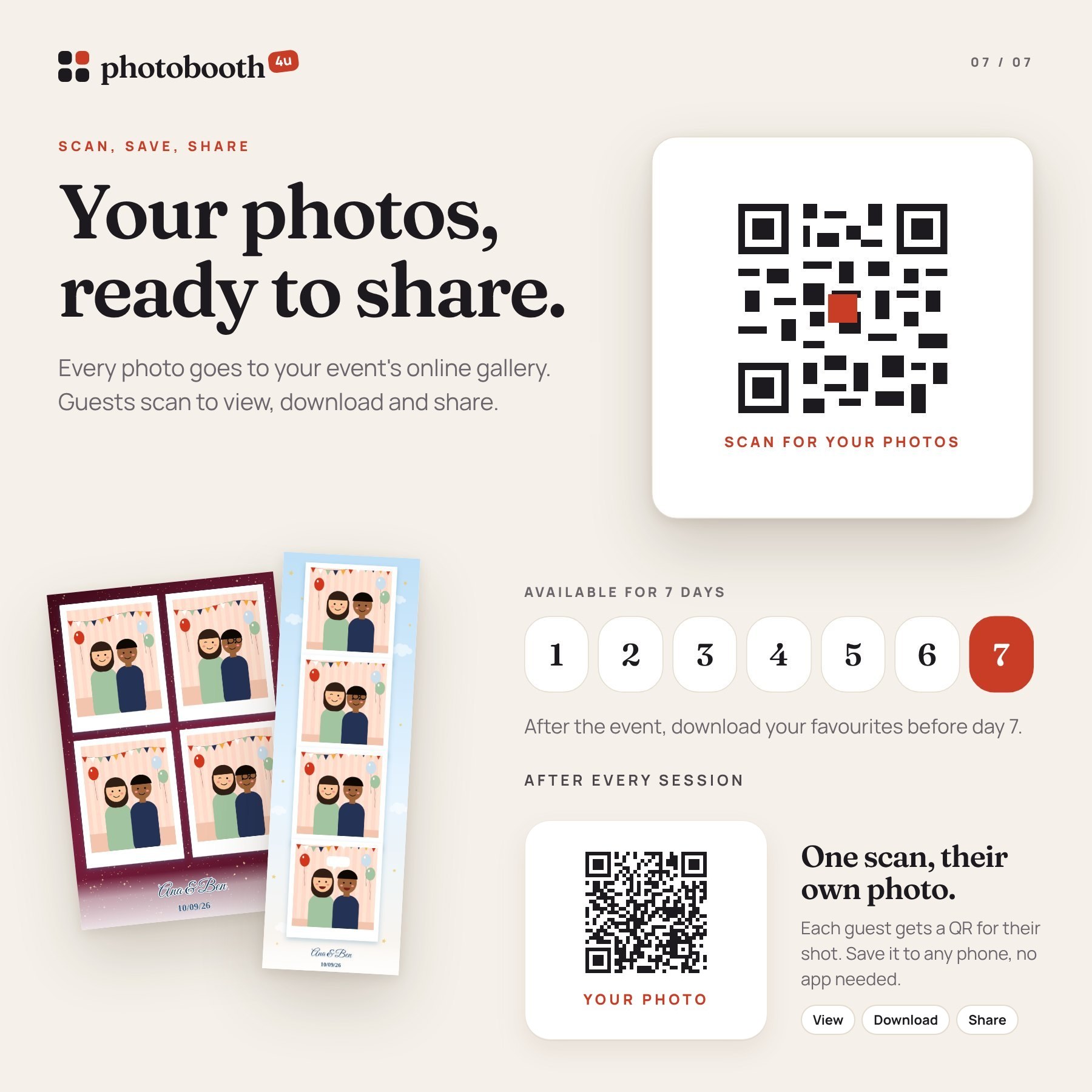
as a dedicated QR Sharing Station.Instant QR sharing: Guests scan one QR for their photo strip, solo shots, and GIFs—online
or offline over local Wi-Fi.
Setup › Extras › Output mode
GIF Styles, Final Shots Slideshow & Live Motion
Available on Online, Windows/Mac Desktop, Android, and iPad Offline apps. Choose GIF only or
Photo + GIF (Both) to give guests a still strip and an animated GIF on one QR code.
1 · Picture frame
Where the GIF & Slideshow Sit
Chosen layout / Strip & Grid: Places motion clips inside your active event layout with all
custom branding and text—or drops crisp stills one by one into your layout.
Solo layout / Event design: Places each clip or still slide inside your Solo / event design
template, even when printed photos use a strip.
Polaroid Card / Plain camera: Pick a standalone Polaroid slideshow card (7 background themes, 4
card colors, zero crop!) or full wide plain camera feed.
2 · Animation style
5 Motion & Slideshow Styles
⚡ Auto (Smart Match): Automatically picks Story Replay for vertical/receipt strips
and Multi-Box Boomerang for grids and multi-cut sheets.
✨ Multi-Box Boomerang: Captures motion during the countdown before each shot; every box
animates together in sync.
🎬 Story Replay: Plays one box at a time in order (Box 1 → 2 → 3 → 4), then
pauses on the finished strip.
🎞 Full Session: Continuous recording across the whole session, dynamically fast-forwarded
into a smooth 4–5 second recap.
🖼️ Final Shots Slideshow: Crisp animated carousel of guests' full-resolution still
photos (Polaroid card, Event design, or Event layout drops)—zero blur!
3 · Loop mode & Looks
Playback & Filters
🔄 Boomerang (default): Plays forward to the final pose, then smoothly reverses in a
seamless ping-pong bounce loop.
▶️ Forward only: Plays straight through from start to finish and restarts, with
automatic fast-forward pacing so nothing feels cut short.
Vintage & color looks: Selected booth filters (Film, Faded, 70s, Instant, Noir, Soft skin)
apply to GIF frames too.
Included extra · Website, Desktop & Android
Printed Flipbook Studio
Guests record a short motion clip, preview it in an interactive on-screen flipbook player, get an
animated GIF QR code, and receive print-ready cards arranged for fast cutting and binding.
Capture & Covers
Recording, Cover & QR Back Card
Clip length & frame count: Record 4 s, 5 s, 6 s
(default), or 7 s; choose 16, 24 (default), 30, or
40 frames. The booth keeps the sharpest frames spaced by movement.
Motion prompts: Optional on-screen motion cues while guests record.
3 Cover card styles:Logo + title, Clip photo (hero frame with dark gradient band),
or Your image (custom uploaded cover).
Back card with digital QR: Optional back card embedding a scannable QR code to the digital
flipbook/GIF plus a custom caption (e.g. "Scan to view & share your flipbook").
Imposition & Speed
Sheet Layout, Binding & Two-Printer Pooling
Stack-cut or In-order collation:Stack-cut arranges cards across sheets so cutting the
stacked pages drops every booklet into the exact page order automatically.
Grid presets:Auto (~45×34 mm cards; 8 on 4×6, 32 on A4), 6 per sheet,
or 8 per sheet. Works on real sheet sizes (4×6, A4, Letter—not receipt rolls or narrow strips).
Binding gutter & page numbers: Optional 6 mm left binding margin with dashed fold guide,
staple placement dots, and rotated frame numbers.
Two-printer pooling: Optionally assign a second printer to split sheets or copies in parallel and
cut guest wait time in half.
Large & custom formats · Up to 48 inches (1220 mm)
XL Print Support
Yes—photobooth4u supports XL strips and custom paper sizes up to 48 inches (1220 mm),
built for wide-format inkjet photo printers like the Epson L8050, L3210, and other large-sheet printers.
Capability
What it does
Platform support
XL Strip 4 layout (stripxl)
4 large stacked shots tuned to a 1:4 tall aspect ratio for XL strip prints.
Windows & Mac, Android, Online
1-Tap XL presets & Custom sizes
One-tap + 4×12 in, + 8×24 in, and + 8×32 in presets, or enter any
custom width/height from 1–48 in (25–1220 mm) up to 6 saved sizes.
Windows & Mac, Android, Online
Fast 200 DPI JPEG XL mode
Switch between 300 DPI PNG (default) and 200 DPI JPEG (faster XL) on sheets
≥ 300 mm for much faster spooling on 12–32+ in XL strips.
Windows & Mac Desktop (and Print Helper)
Driver slot & Media type
Bind an exact saved User-Defined driver paper slot per size, pick Paper / media type
(Glossy, Matte, Plain), and automatically request custom paper dimensions if unmatched.
Windows & Mac Desktop (and Print Helper)
1 strip per sheet & Auto-paper map
Toggle 1 strip per sheet to disable 2-up pairing on wide sheets, and map XL Strip 4
to automatically switch to your XL paper size and printer queue.
Windows & Mac Desktop, Android, Online
Printer note for XL Print: Full driver-level XL printing (200 DPI JPEG fast mode, saved
User-Defined driver paper slots, and media type control) runs on the Windows & Mac Desktop
app (or Online with Print Helper). On Android, you can add XL sizes and print via Wi-Fi IPP or the
Android Print Dialog if your printer accepts that banner/custom size; thermal receipt rolls also print tall
strips continuously; dye-sub printers (DNP / Canon SELPHY) remain limited by their physical media sizes (up to
6×9 on Android DNP, 8×12 on Desktop DNP/Citizen/Mitsubishi).
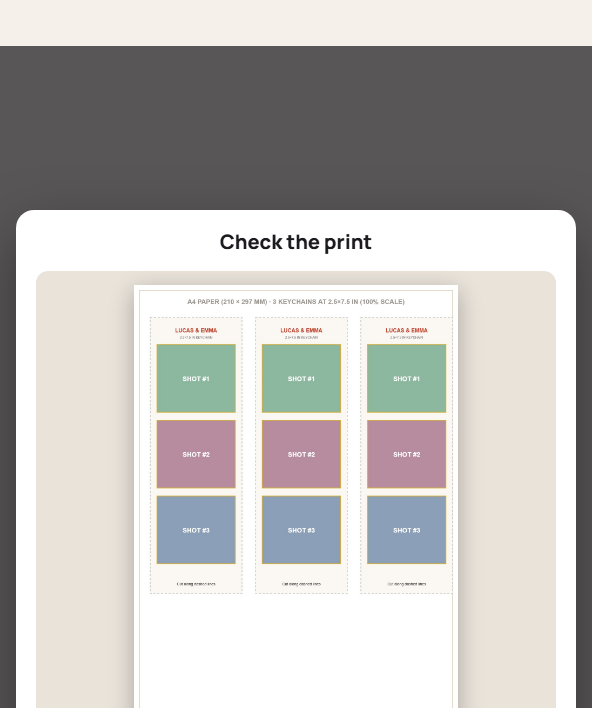
Exact-scale packing: 2.5×7.5″ acrylic keychain strips pack onto A4, Letter, or
8R sheets with thin cut lines.Print preview before printing: Checks paper size, copies, 2-up strip split, or flipbook
sheets before sending the first job.
More event tools, booths & revenue features
Trading Cards, Cash Acceptor, Photoman, Rush ID, AR & 360
Everything included with your booth—built for Traditional booths, Receipt Photobooths,
Photobooth-in-a-Box / Retro Box setups, roving teams, weddings, debuts, corporate events, and unattended kiosks.
Included · Keychains & Cards / Certificates
2.5×7.5″ Keychains, Trading Cards & Certificates
Keychain strips at real size: Pack multiple 2.5×7.5″ strips onto A4, Letter,
or 8R paper at true 100% scale with cut guides (Keychain guide →) plus
360 Spin & Print frame extraction.
Collectible Trading Card Booth (2.5×3.5″): Guest photo + name + subtitle
+ stats, custom back-of-card Q&A prompts, dual-sided printing, and interactive 3D Holo card viewer!
Certificate Booth & Print Preview: Landscape award certificates with custom circular photo,
seal & date, plus pre-print confirmation pop-up.
Included · Roaming, Photoman & Rush ID
Photoman Studio, Roving Bridge & Rush ID
Photoman Studio (guide →): Build independent Photoman
Templates, enable Auto-Frame for incoming DSLR shots, edit brightness & exposure right on
the laptop station with the Built-in Photo Editor, trigger via Phone Remote Control
(/rove/), or pop out a dedicated desk window.
Roving DSLR Bridge (Android APK + Offline Auto-Queue): Tether a Canon, Nikon, or Sony DSLR via
USB OTG to queue live photos over local Wi-Fi into your laptop's Photographer Desk. If Android gets
disconnected out of Wi-Fi range, it queues photos safely offline and continues sending
automatically once reconnected!
Dedicated Rush ID Station (/rush/): Included desktop/Android
ID & passport photo tool alongside the main photobooth!
Included · Guest interaction
Video Guestbook, Print Requests & AR Moving Picture
Video Guestbook: Guests record 15, 30, or 60-second audio/video messages with up to 5 custom
question prompts and get a QR code (plus 1-click zip download in the online gallery).
Guest Print Requests: Guests scan their QR, tap Ask for a print at the booth, and
operators approve or dismiss from the dock (rate-limited to prevent spam).
AR Moving Picture (/ar/): Point a phone camera at a printed photo
and watch the captured motion clip play right on top of the physical print.
Self-service monetization & lighting
Cash Acceptor, Relay Lighting, PayMongo QR & Vouchers
Offline ESP32 Cash Acceptor + Relay Lighting: Connect an ESP32 bill/coin acceptor via two-way
Bluetooth BLE / SPP (Android, incl. Huawei tablets), USB Serial (Desktop), or Keyboard HID—syncs
live price{} & credit{} status, supports configurable idle credit expiry (10 min default),
drives 4–8 relay lighting / NeoPixel channels (with SN74AHCT125N 5V buffer support), and works 100% offline! (Wiring & sketch guide →)
PayMongo QR & Self-Hosted Cloudflare Worker: Accept GCash, Maya, & ShopeePay QRs on
Online booths—or point Desktop/Android at your own custom Cloudflare Worker URL.
Unlimited Payment Options & Vouchers: Create custom-labeled packages (e.g. Option 1–4,
No print: softcopy only, or Thermal vs Coloured tiers), display selected Template Price &
live waiting-credit badges on cards, print compact single-use voucher batches, hide the floating welcome banner when desired,
and link each option to its own layout tier & dedicated printer.
Included · Desktop + Free iOS 360 Arm Companion
Enhanced 360 Video Studio: Gyro Motion Sensor, DSLR/GoPro, 30 Presets, Beat-Drop & Live TV Wall
Free iOS 360 Arm Camera Companion (guide →): Mount an
iPhone/iPad on the spinning arm with CoreMotion gyro / motion sensor auto-start & stop,
0.5× ultrawide 60/120 fps, AE/AF lock, and Screen Shield—or capture directly via
Record 360 using a Canon/Nikon/Sony DSLR connected to a laptop or tablet (guide), GoPro, HDMI capture card, or Windows tablet gyro!
Preset Styles & Auto Mode: Choose curated looks with custom velocity curves (0.25× super
slow-mo, speed ramp, boomerang, roller) plus automated hands-free rotation.
Pro Video Finishing: Beat-Drop audio sync, 3D LUT color grading, 40+ animated particle/frame
overlays, custom intros/outros & text banners—powered by bundled GPU/ffmpeg.
Instant Share & Live TV Wall: Offline QR downloads, animated GIF companion export, and a
real-time looping 360 Live TV Wall display for the venue.
At a glance
Which Setup Should You Pick?
Compare what runs on every platform across Online Web, Windows/Mac, Android Tablet, and iPad Offline.
Feature / Capability
Online (Web)
Windows / Mac
Android Offline
iPad Offline
Zero venue internet + Auto Cloud Sync
Needs internet
✓ Offline + Sync
✓ Offline + Sync
✓ Offline + Sync
Built-in hotspot (no router)
–
✓ Windows
✓ Wi-Fi Direct
Personal Hotspot
Tablet Guest Screen + Camera Bridge (0 extra slots)
10 Sticker Packs, Green Screen, Trading Cards & LumaShare
✓ Included
✓ Included
✓ Included
✓ Included
Photoman Studio, Roving Bridge & Rush ID Station
Template Editor
✓ Full Suite + Phone Ctrl
✓ Roving + Rush ID APK
Web / Roving Client
GCash / Maya QR (PayMongo + Worker) & Cash Acceptor
✓ Live QR + HID Cash
✓ USB/HID Cash + Worker QR
✓ BLE/USB Cash + Worker QR
Vouchers / HID / Worker
360 Video Studio (Record 360 + Free iOS 360 Arm App)
Unedited share
✓ Included
Send page to PC
✓ Free 360 Arm Cam
Event safety & assistance
Lock Mode Button & Responsive Customer Support
Keep guests out of your booth settings during live parties, and get direct help whenever you need
it.
PIN & Kiosk protection
One-Tap Lock Mode Button
Instant booth lock: Tap the Lock button in the booth dock (asks for confirmation so an
accidental tap never interrupts a session) to lock Setup, Camera, and Printer menus behind your 4-digit
PIN.
Synced across devices: Your PIN saves to your rental code and works on every device using that
code, with a discreet corner lock icon to unlock anytime.
Android tablet kiosk lock: Keeps the screen awake, hides system navigation & home bars, and
intercepts accidental back-button exits so guests stay inside the booth.
Fast assistance
Customer Support Ready to Help
Direct Messenger support: Need help pairing a camera, configuring a printer, or setting up before
an event? Message us directly and we assist as soon as possible.
Free trial before booking: Test your exact laptop, tablet, camera, and printer with Trial Mode
first so everything is verified before event day.
Download the Windows, Mac, Android, or iPad offline installer, test your camera and printer in Free Trial
mode (code: ),
or message us on Messenger for fast support.